Monitoring Through A Color
From Loopy Pro Wiki
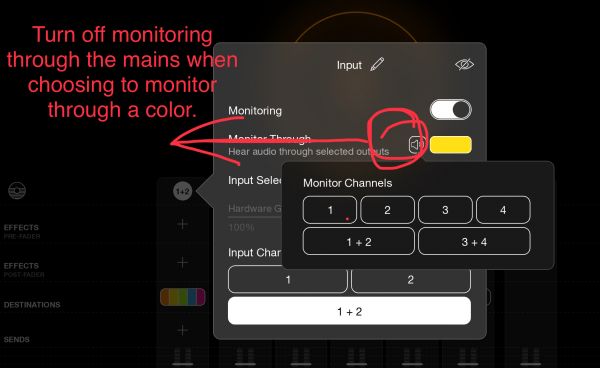
If you have effects on a color channel, you can monitor an input through that color channel. To monitor through a color:
- Show Loopy Pro's mixer.
- Tap on the icon at the top of the channel that you want to monitor
- Tap on the speaker icon to turn off monitoring through the mains
- Tap on the icon (which will probably say No Color) that brings up the color picker.
- Choose the Color whose Effects you want to monitor through.